Linking your Scanner to Angel Aligner
Below you can find information on how to connect your intraoral scanner to our lab partners.
iTero
Please reach out to Kiwi Support Team for the Lab Details listed below before you contact iTero.
- Call iTero customer support (1-800-577-8767) and select Option 1.
- Ask them to add the <Lab_Name> to the list of integrated labs. You might be asked to confirm that this is an international lab and they might need to get supervisor approval before adding it.
- Lab info:
- Lab Name: <Lab_Name>
- Lab City/State: Victoria, Australia
- Lab ID: <Lab_ID>
- Account number: <Account_Number>
- Lab email: <Lab_Email>
- Lab info:
- After they add it, they might ask you to update your scanner so that the lab shows up on your end.
Trios (3Shape)
- Login your 3Shape Communicate account
- Open 3Shape Unite TRIOS Software

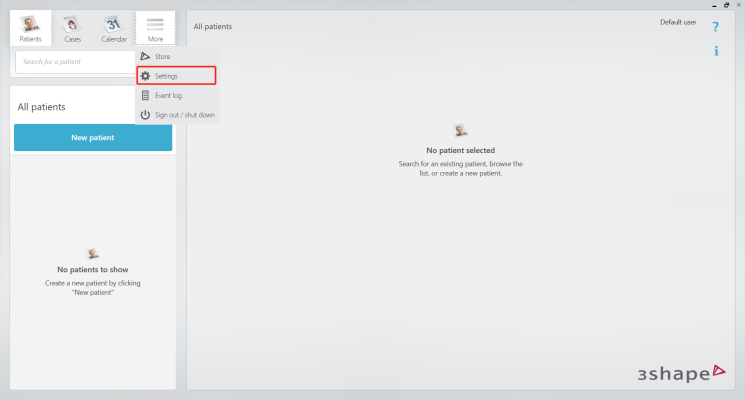
- Click “More- Settings”
- Click “General- Users”, Login your 3Shape Communicate account
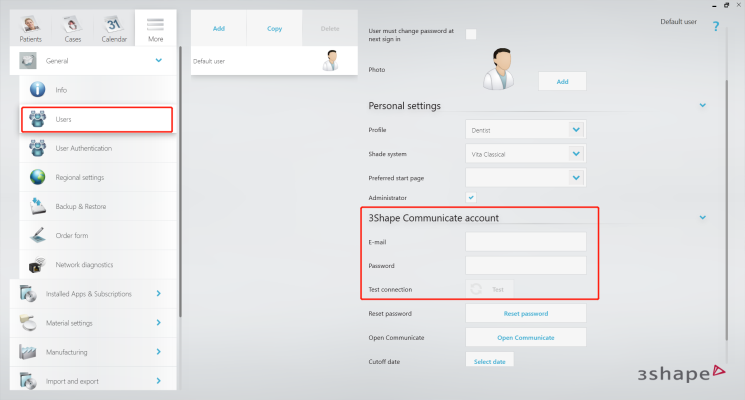
- Click “Test”, confirm that the account is correct.
- Establish connection with AngelalignTech.
- Method 1: Install AngelalignTech APP
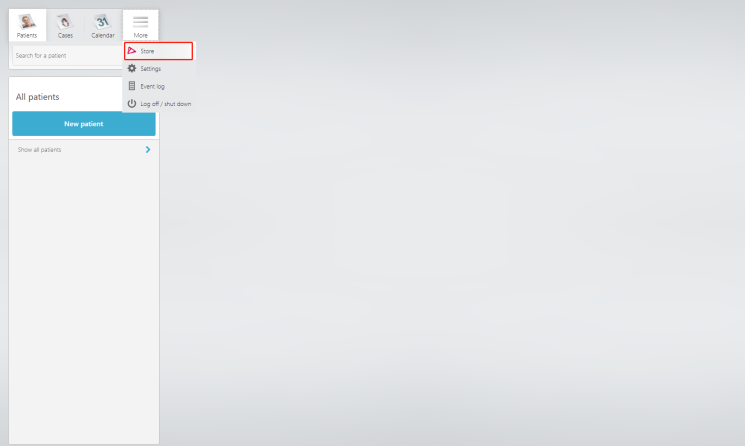
- Go to UniteStore, search for Angelalign and install the AngelalignTech app.
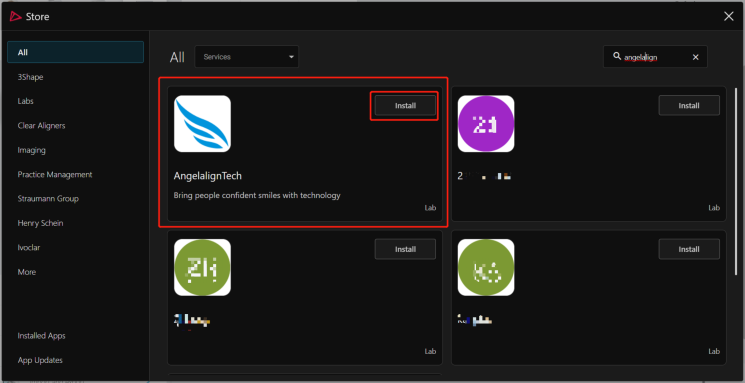
- Click “connect”, wait for installation to complete.It will take about half a minutes
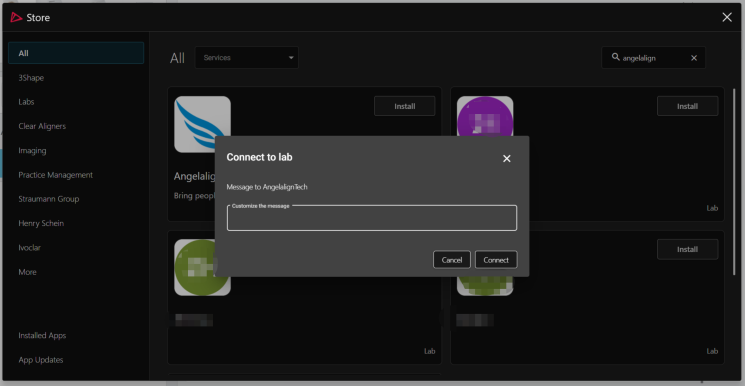
- Method 2: Add Connection
- Login Url https://portal.3shapecommunicate.com/login
- Connections→Add Connection
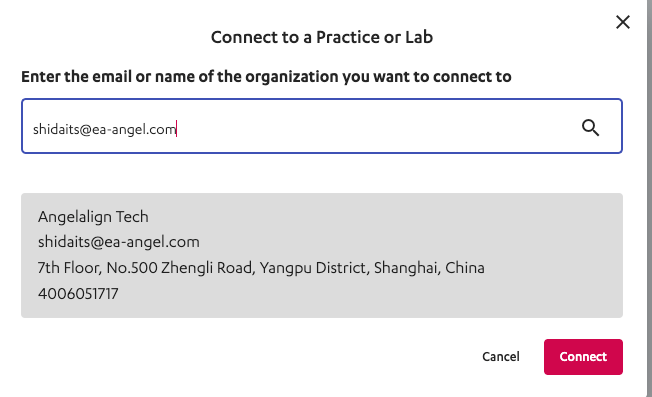
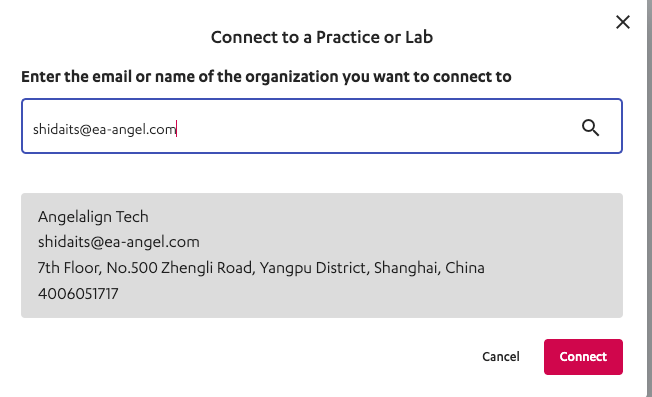
- Enter shidaits@ea-angel.com and search.Then, click ‘Connect’.
- Login iOrtho to Connect with 3Shape Account
- iOrtho→ Profile → Intraoral Scanner Platform → Click on [+ Connect]
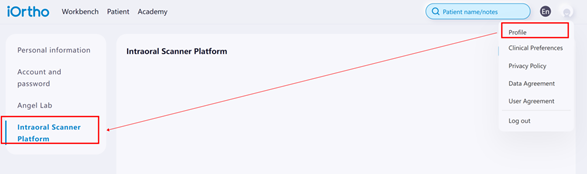
- Choose_**“3Shape”**_ and click on [Next]
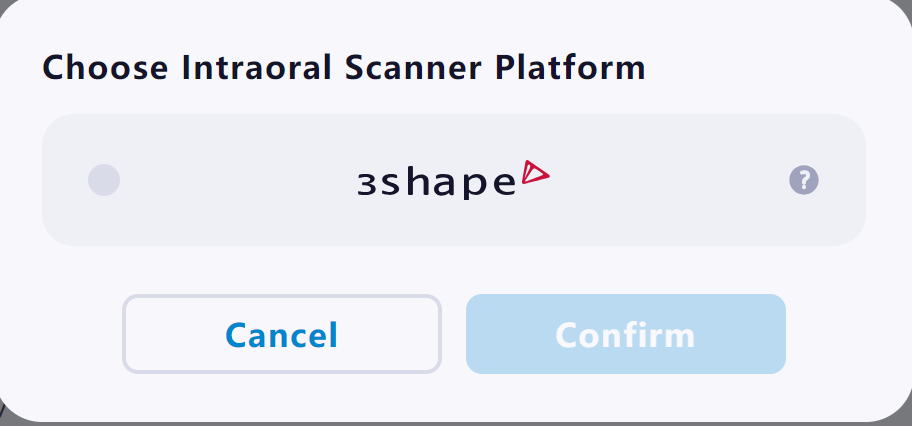
- Fill in your “Communicate ID”
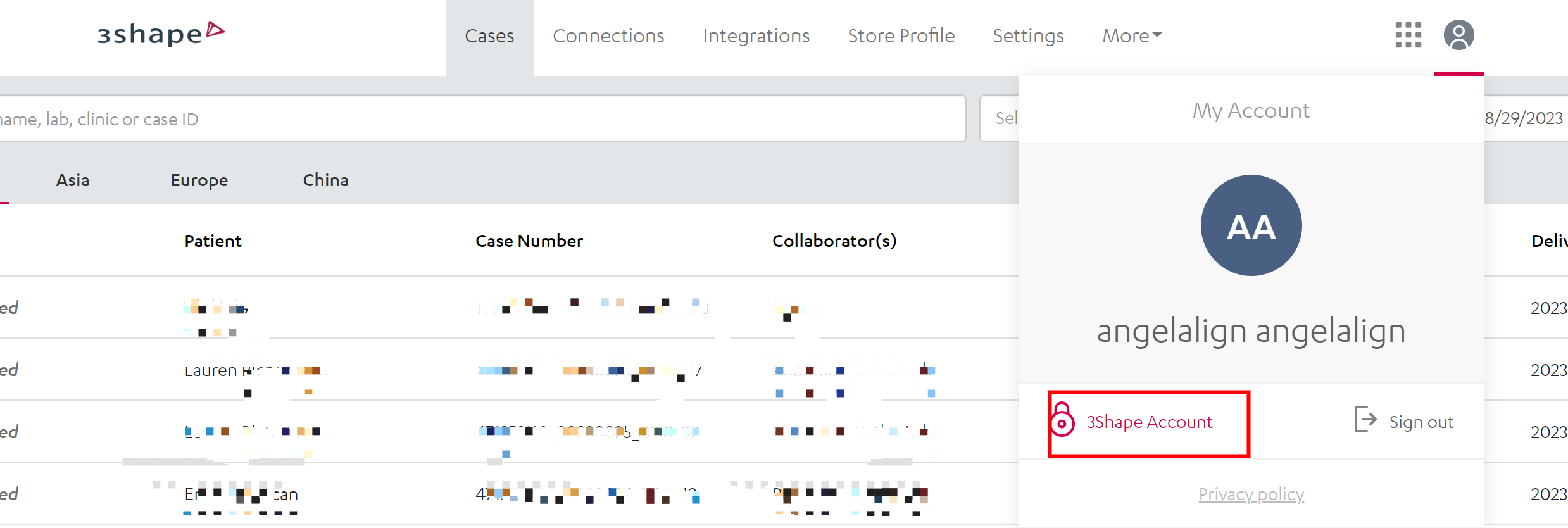
Note: How to confirm your Communicate ID
- My account→ 3Shape Account→ My companies
- The company email is the Communicate ID.
Medit
- Apply to Partner with “Angelalign Technology Inc.”
- URL:https://www.meditlink.com/login
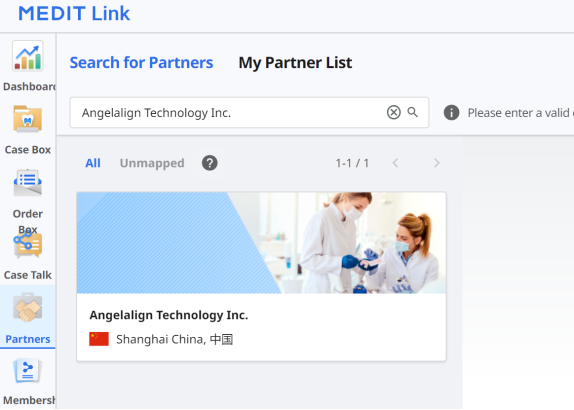
- Login your account, go to the“Partners” page and search “Angelalign Technology Inc.”.
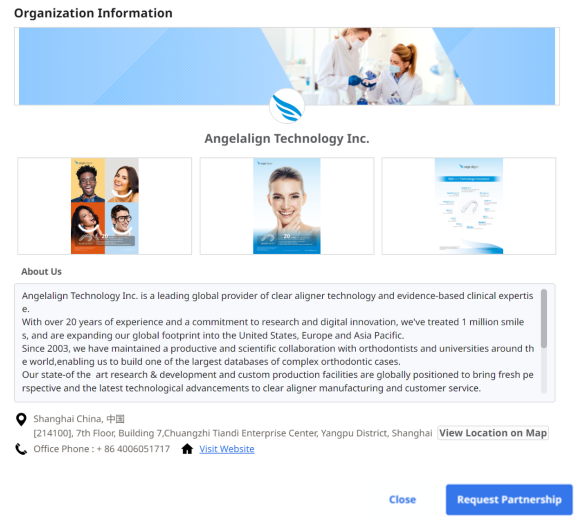
- Click on [Request Partnership] to start the review and approval process (approximately lasts for 2 working days).
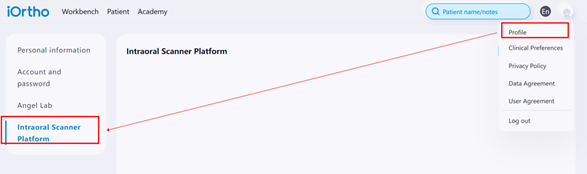
- Login iOrtho to Connect with Medit Account
- iOrtho→ Profile → Intraoral Scanner Platform → Click on [+ Connect]
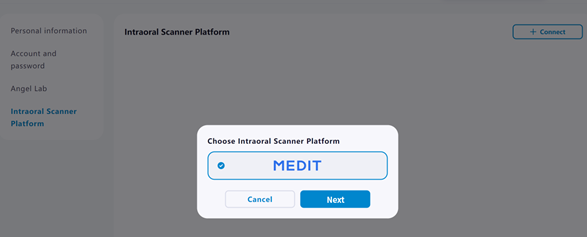
- Choose“MEDIT” and click on [Next]
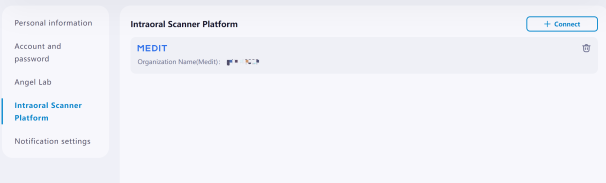
- Login your “MEDIT Link” account (Your MEDIT Link login information will not be collected by iOrtho.)
Allied Star
- Add Partner with “Angelaligner”
- Go to ASConnect Web
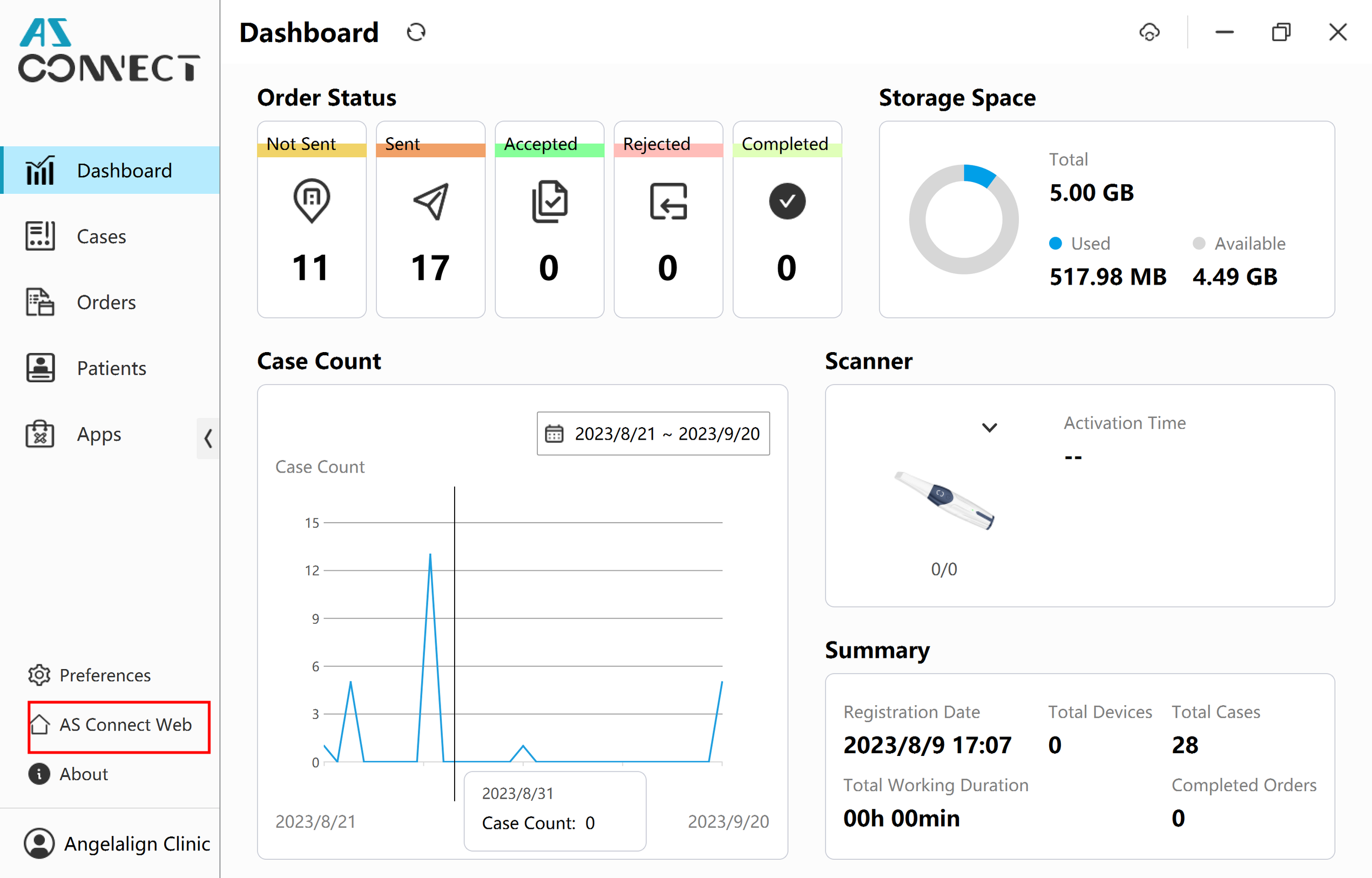
- Go to the “My Partner” page
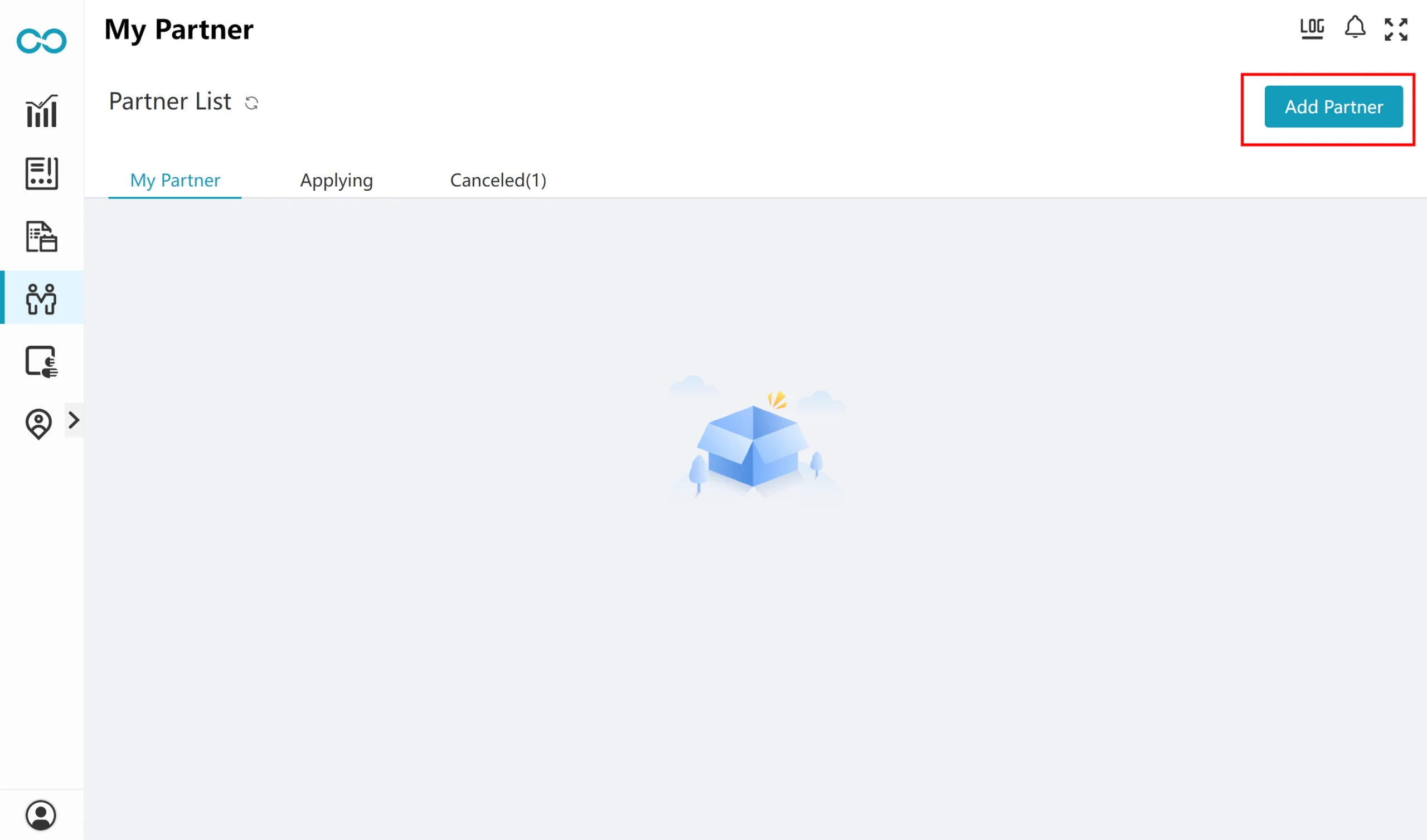
- Add partner and search “Angelaligner”.
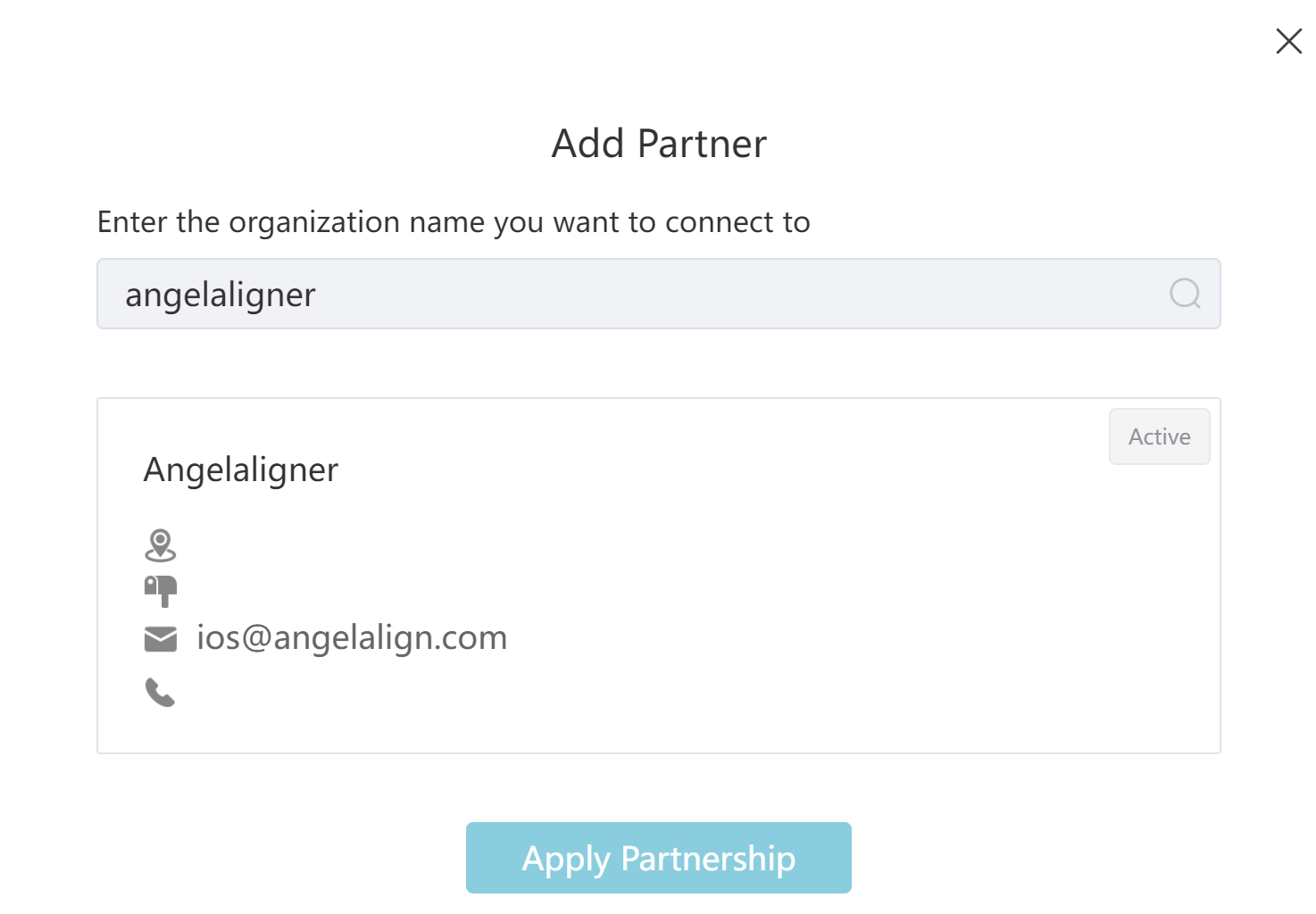
- Click on [Apply Partnership]
- Login iOrtho to Connect with AlliedStar Account
- iOrtho→ Profile → Intraoral Scanner Platform → Click on [+ Connect]
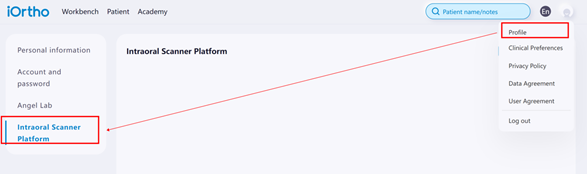
- iOrtho→ Profile → Intraoral Scanner Platform → Click on [+ Connect]
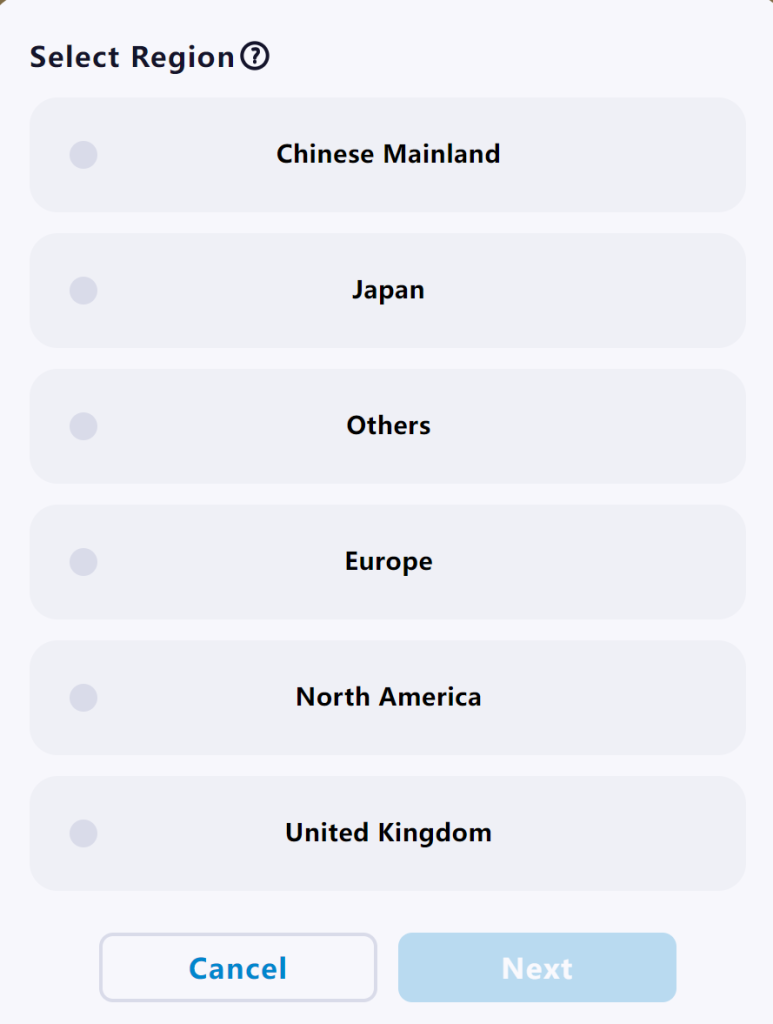
- Choose the region of your “AS Connect” account
*Please choose the region based on the ASconnect login address
- https://asconnect-cn.allied-star.com (Chinese Mainland)
- https://asconnect-eu.allied-star.com (Europe)
- https://asconnect-us.allied-star.com (North America)
- https://asconnect-uk.allied-star.com (United Kingdom)
- https://asconnect-jp.allied-star.com (Japan)
- https://asconnect.allied-star.com (Others)
- Login your “AS Connect” account (Your AS Connect login information will not be collected by iOrtho.)